English
עברית

Notifications

Welcome to lynxbe!

Get started by exploring our features and setting up your workspace.

Just now

Free Trial Activated

Your 14-day free trial has been activated. Enjoy full access to all features.

5 minutes ago

Quick Start Guide

We've prepared a quick start guide to help you get the most out of lynxbe.

1 hour ago

Rate Your Experience

We'd love to hear your feedback on your experience with lynxbe so far.

1 day ago

Everything App for your teams

An open-source platform that serves as an all-in-one replacement of Linear, Jira, Slack, and Notion.

Everything you need for productive team work:

Team Planner Project Management Virtual Office Chat Documents Inbox Team Planner Project Management Virtual Office Chat Documents Inbox Team Planner Project Management Virtual Office Chat Documents Inbox

Unmatched productivity

A process, project, time, and knowledge management platform that provides amazing collaboration opportunities for developers and product teams alike.

Keyboard shortcuts

Work efficiently with instant access to common actions.

Team Planner

Keep track of the bigger picture by viewing all individual tasks in one centralized team calendar.

Notifications

Keep up to date with any changes by receiving instant notifications.

Time-blocking

Transform daily tasks into structured time blocks for focused productivity.

Task Templates

Create reusable templates for recurring workflows and common processes.

Progress Tracking

Monitor team and individual progress with visual dashboards and burndown charts.

Smart Reminders

Never miss important deadlines with intelligent, context-aware notifications.

Automation Rules

Automate repetitive tasks and workflows to save time and reduce manual effort.

Featured

Work together. Like in the office.

Create customized virtual office spaces for any department or event with high quality audio and video conferencing.

Live
Onboarding Meeting 4 participants

Collaborating with remote teams is easy in your virtual office environment. Enjoy real-time communication within your workspace without additional software hassle.

Customize workspace

Create your own offices and meeting rooms to suit your team's needs.

Audio and video calls

Collaborate efficiently and seamlessly with high quality virtual conferencing.

Invite guests

Meet with guests without ever needing to leave your workspace.

Document Editor

Keep your team organized with powerful document collaboration features.

Advanced document editing available within the lynxbe document editor.

Document editor preview

Documents can be enhanced with rich text formatting, images, attachments and code blocks. Use documents to organize team plans, create technical documentation and support your team's progress towards shared goals.

Tap here to continue...
Add image
Edit text

Sync with GitHub. Both ways.

Manage your tasks efficiently with lynxbe's bidirectional GitHub synchronization. Use lynxbe as an advanced front-end for GitHub Issues and GitHub Projects.

GitHub integration visualization
  • Two-way synchronization

    Integrate your task tracker with GitHub to sync changes instantly.

  • Private tasks

    Integration and management of multiple data repositories effectively.

  • Multiple repositories

    Organize multiple projects for more effective planning and collaboration.

  • Milestone migration

    Seamless migration of key project milestones between repositories.

  • Track progress

    Keep track of GitHub contributions and changes within your workspace.

  • Advanced filtering

    Precise project data search with advanced filtering capabilities.

lynxbe MetaBrain

Connect every element of your workflow to build a dynamic knowledge base. Soon, lynxbe AI will turn it into a powerful asset a second brain for your team.

  • Create tasks. Schedule your personal events and todos.

  • Plan your work. Visualize your workday in your planner.

  • Take notes. Create documents to keep track of team resources

  • Sync in real time. Connect with your team instantly to monitor progress and track updates.

  • Chat with team. Send DM and create group chats.

  • Manage projects. Customize your workspace to fit the needs of your teams.

Project Spotlight

Client Success Story: QA System

How we built a powerful inspection management platform for one of Israel's largest engineering firms

Engineering & Construction
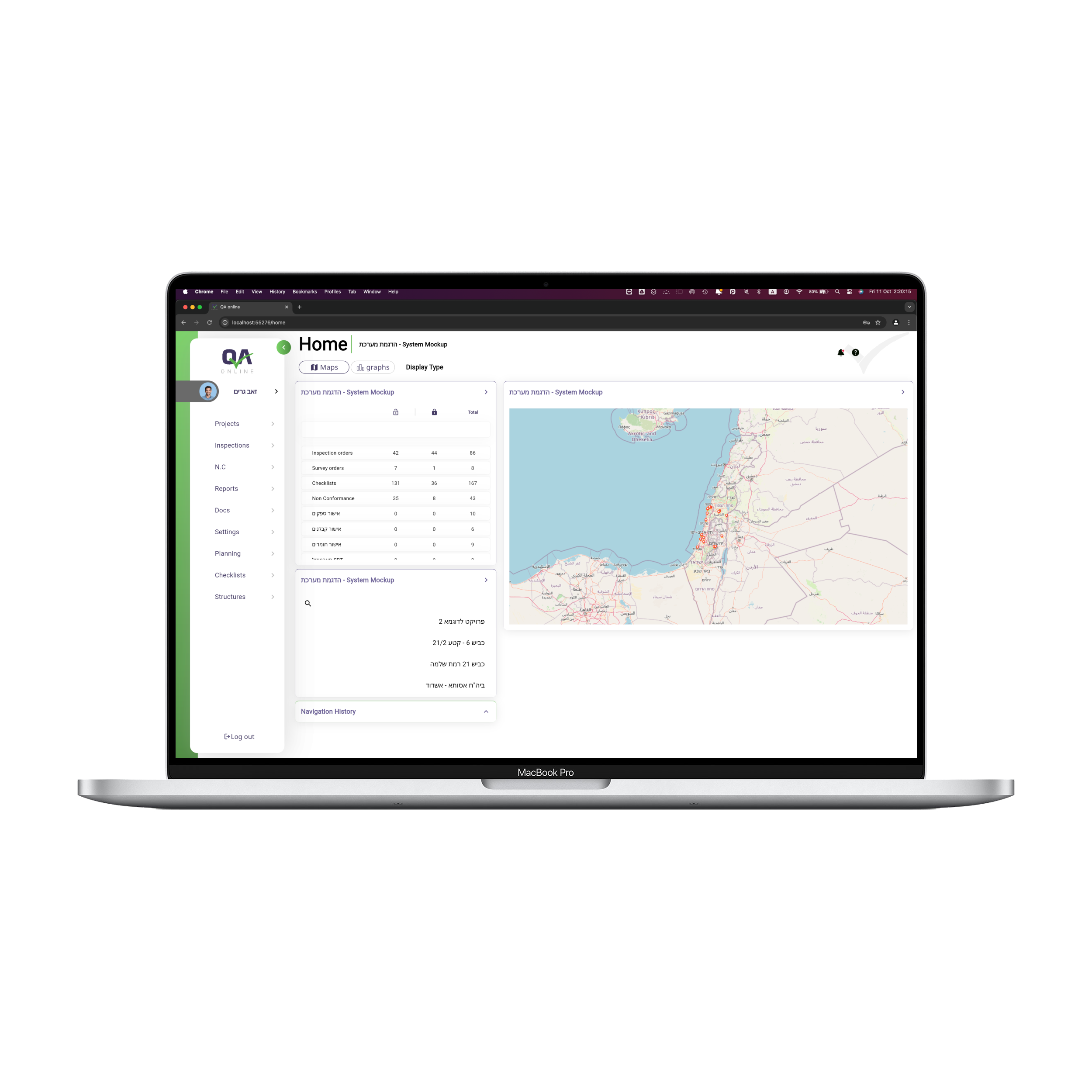
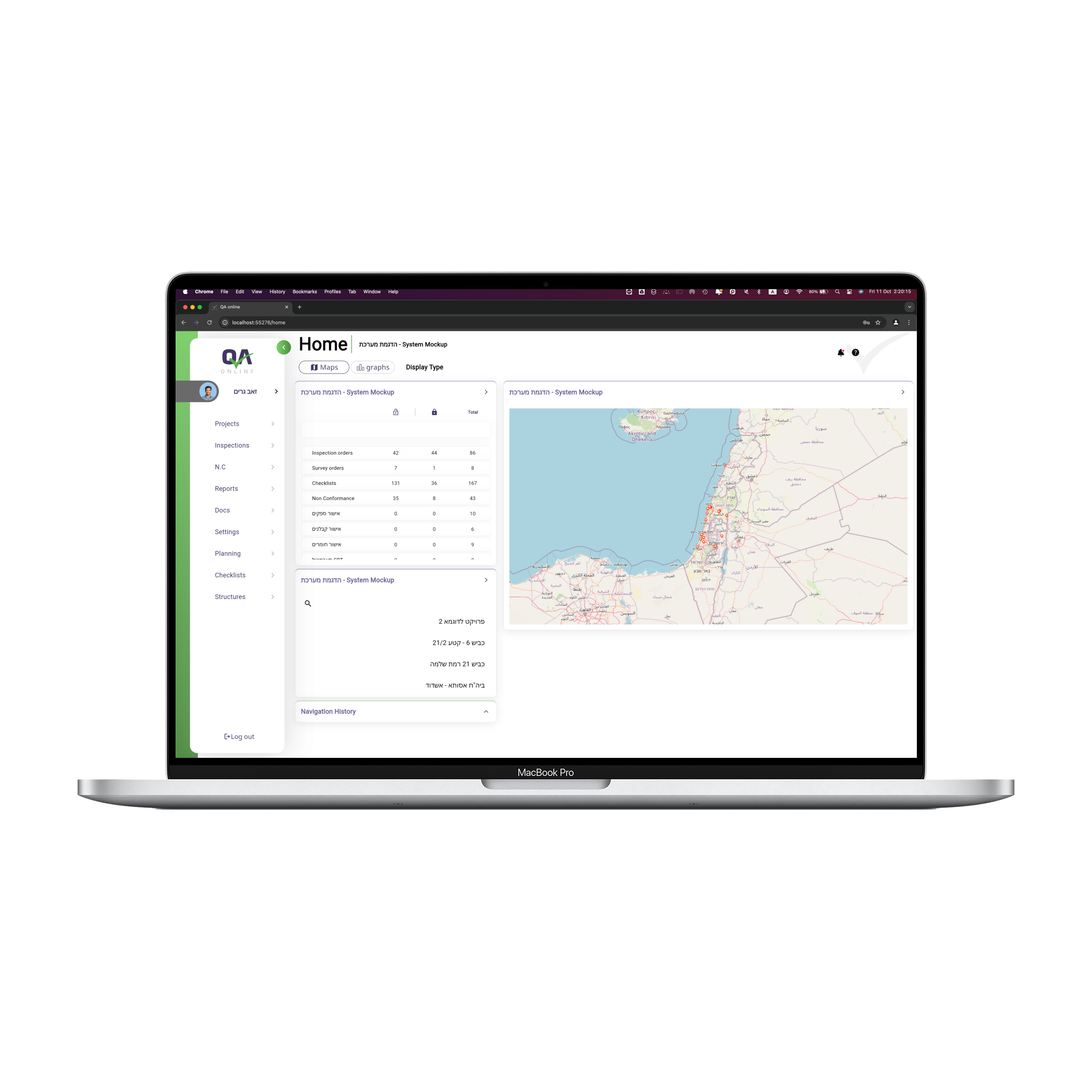
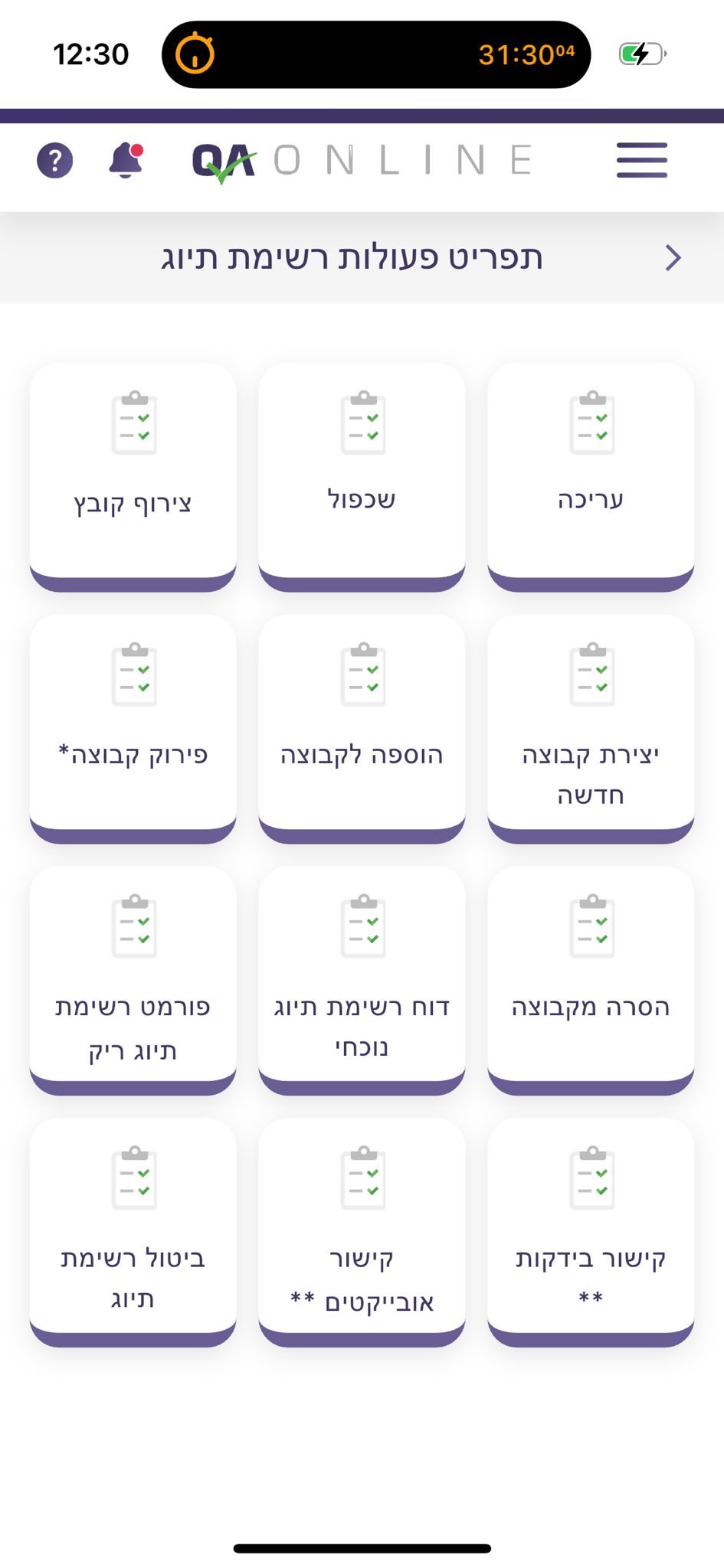
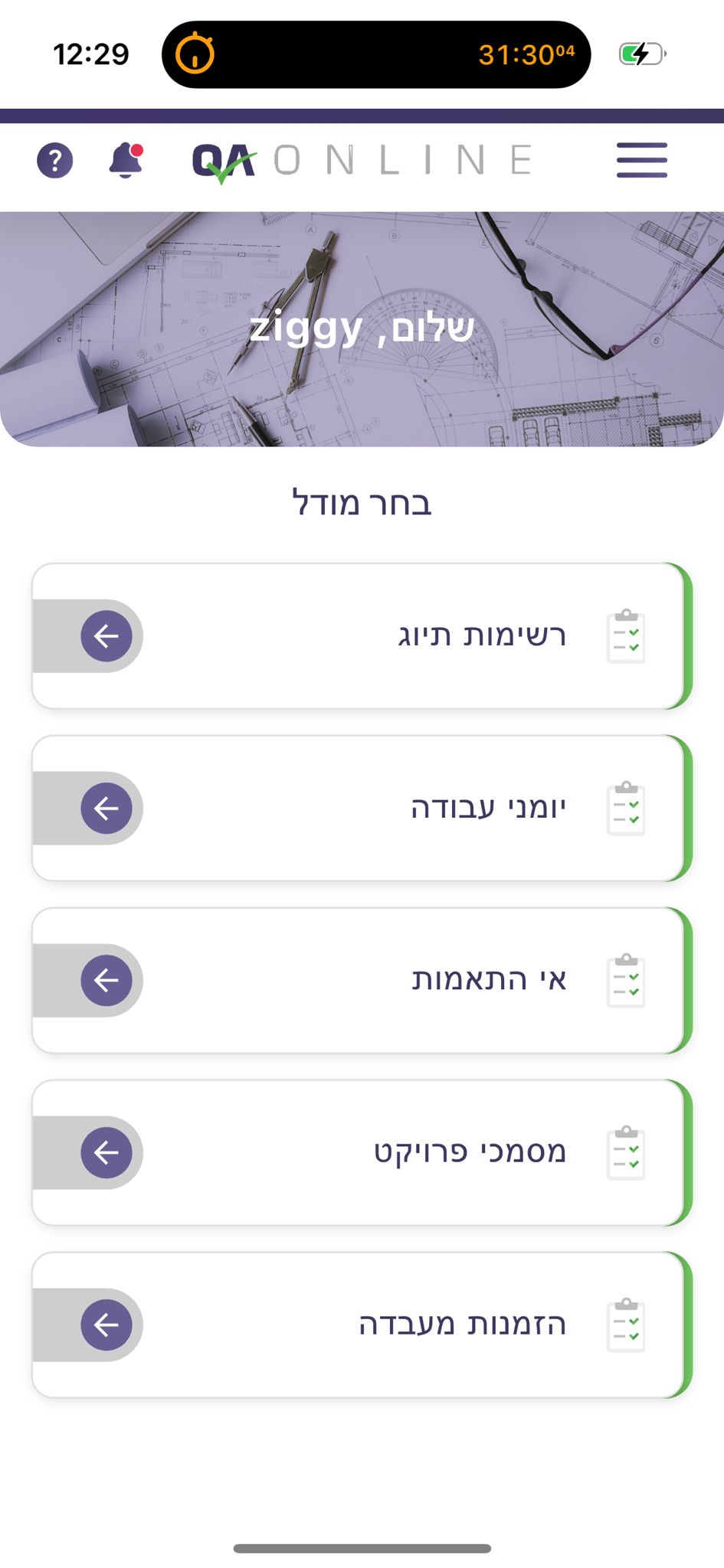
QA system preview
Interactive mapping interface displaying real-time inspection data

App Screenshots

Experience the comprehensive features of our QA system through these interface examples from the actual application.

Dashboard overview

Dashboard Overview

Main control panel for monitoring all inspection activities

Inspection details

Inspection Details

Detailed view of inspection findings with status indicators

Map visualization

Map Visualization

Geographic distribution of inspection sites with status

Data analytics

Data Analytics

Real-time analytics dashboard showing key metrics

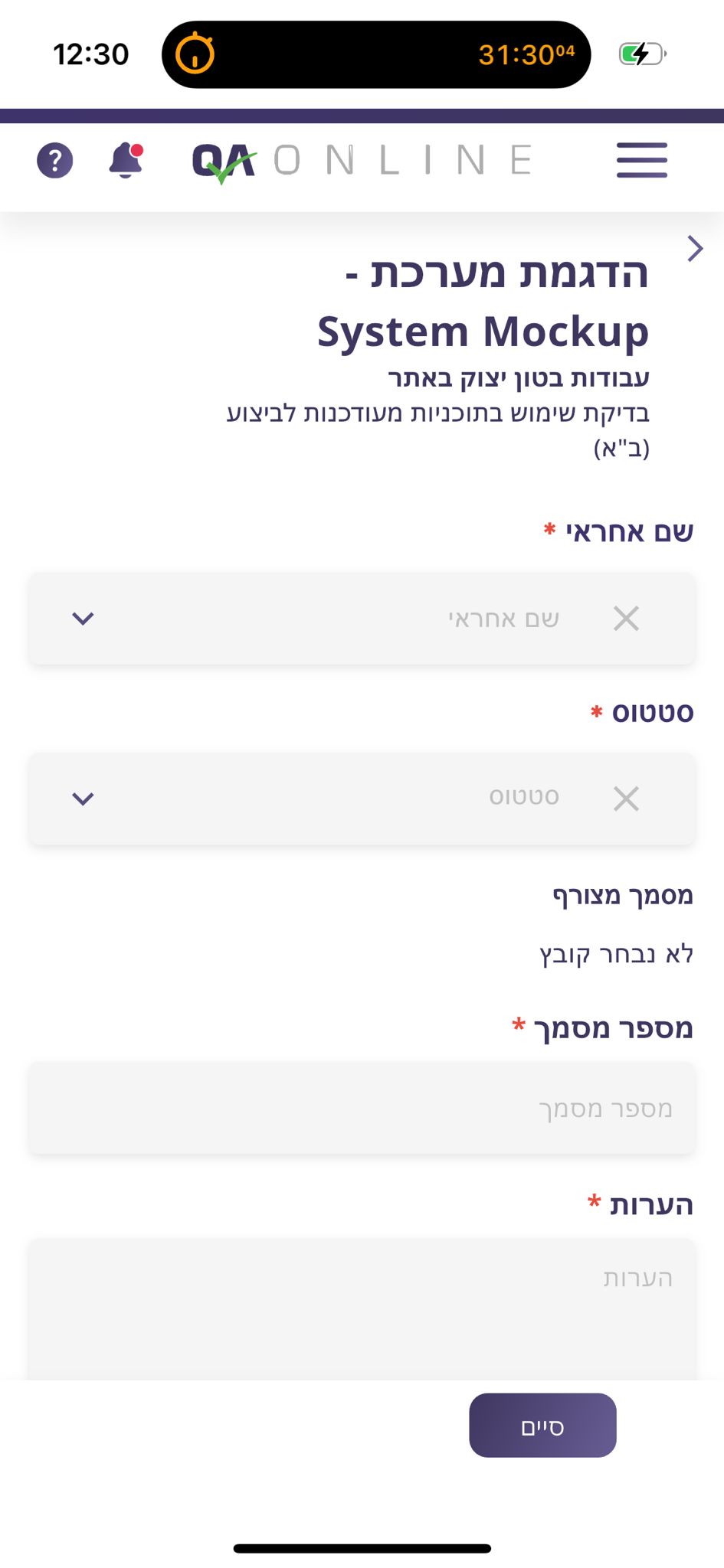
Mobile inspection form

Mobile Inspection Form

Field-ready form optimized for on-site data collection

Report generation

Report Generation

Automated report creation with customizable templates

Compliance tracking

Compliance Tracking

Monitor compliance metrics across projects with analysis

User management

User Management

Role-based access control and team management

Settings configuration

Settings Configuration

Customizable system settings for workflows

Thumbnail
Thumbnail
Thumbnail
Thumbnail
Thumbnail
Thumbnail
Thumbnail
Thumbnail
Thumbnail

The Challenge

Our client struggled with managing thousands of quality inspections across multiple construction sites using paper-based systems. Field inspectors were unable to efficiently document findings, while management lacked real-time visibility into compliance status and critical issues.

  • Paper-based reporting created delays of up to 72 hours
  • No geographical visualization of inspection data
  • Limited ability to track compliance trends over time
  • Difficulty coordinating between field teams and headquarters

Our Solution

We developed a comprehensive QA platform featuring interactive geographical mapping, custom reporting, and real-time data analysis. The system enables inspectors to document findings on-site while providing management with instant insights into compliance patterns and critical issues.

React Node.js MongoDB MapBox API AWS

Project Timeline

Week 1-2

Discovery & Planning

Requirements gathering and system architecture design

Week 3-8

Development

Core system implementation and map integration

Week 9-10

Testing & QA

Rigorous testing with field inspectors and management

Week 11-12

Deployment & Training

System rollout and comprehensive team training

Results & Impact

  • 65% Reduction in inspection reporting time
  • 40% Increase in quality compliance
  • 3,500+ Inspections processed monthly
  • $1.2M Annual savings in operational costs
Maps
Graphs
Display Type

Client Testimonial

"This QA system has transformed how we manage our inspection processes. The geographical visualization allows us to instantly identify patterns and address issues before they become problems. The platform has become essential to our operations and has significantly improved our quality standards."

David L., Director of Quality Assurance

Implementation Highlights

  • Development timeline: 4 months
  • Technologies used: React, Node.js, MongoDB
  • Integration points: 7 enterprise systems
  • Mobile compatibility: iOS & Android

Key Features

  • Interactive geographical mapping
  • Real-time compliance analytics
  • Mobile data collection
  • Automated reporting system
  • Historical trend analysis

Need a similar solution for your business?

We specialize in custom inspection management systems tailored to your industry's specific requirements.

Schedule a Consultation

Join Our Thriving Community

Connect with developers, product teams, and lynxbe enthusiasts worldwide. Share ideas, get support, and help shape the future of collaborative work.

GitHub

Star our repository, contribute to the codebase, or report issues to help improve lynxbe.

Star us on GitHub
5.2k+ Stars

Slack

Join our Slack workspace to connect with the community, get support, and participate in discussions.

Join our Slack
3k+ Members

YouTube

Watch tutorials, demos, and feature highlights to get the most out of lynxbe.

Subscribe
25k+ Subscribers

Upcoming Community Events

Jun 15

GitHub Integration Webinar

Learn how to maximize your GitHub workflow with lynxbe's bidirectional sync.

Register now
Jul 22

MetaBrain AI Features Preview

Get a sneak peek at the upcoming AI capabilities in lynxbe MetaBrain.

Register now
Aug 10

Community Meetup

Join our virtual meetup to connect with other lynxbe users and the development team.

Register now

Success Stories

See how teams around the world are transforming their workflow with lynxbe

Trusted by innovative teams

TechForward
RemoteFirst
CloudScale
DevMatrix
InnovateCo
Quantum Solutions

Development Solutions

Choose the right approach for your project needs

Monthly Subscription Custom Projects

Starter Plan

For small businesses getting started

$ 1,499 /month
  • Dedicated developer (part-time)
  • 40 hours of development per month
  • Weekly progress updates
  • Bug fixes & small features
  • Cancel anytime (monthly contract)

Scale Plan

For larger organizations & teams

$ 7,999 /month
  • Development team (2-3 developers)
  • 200+ hours of development monthly
  • Dedicated project manager
  • DevOps & architecture support
  • Priority support & weekly meetings
  • 6-month minimum contract

Starter Project

For small businesses with defined scope

From $ 5K
  • Fixed scope, single deliverable
  • 4-8 week timeline
  • Dedicated project manager
  • Weekly progress updates
  • 30-day post-launch support

Enterprise Partnership

For complex, mission-critical projects

Custom Pricing
  • Complete end-to-end development
  • Dedicated cross-functional team
  • Technical architecture & consulting
  • DevOps & infrastructure setup
  • Long-term maintenance available
  • SLA with guaranteed response times

Development FAQ

What's the difference between subscription and custom projects?

Monthly subscriptions provide ongoing development resources with predictable pricing, while custom projects are one-time engagements with a defined scope and timeline.

Can I switch between subscription and project-based work?

Yes! Many clients start with a custom project and then transition to a monthly subscription for ongoing support and improvements.

What technologies do you specialize in?

Our team has expertise in web development (React, Angular, Vue), mobile development (React Native, Flutter), backend (Node.js, Python, Java), and cloud infrastructure (AWS, Azure, GCP).

Do you offer post-launch maintenance?

Yes, we provide ongoing maintenance and support packages to ensure your application continues to run smoothly after launch.

Need a custom solution?

Contact our sales team today to discuss your project requirements and get a personalized quote.

Schedule a Free Consultation

Seamless Integrations

Connect lynxbe with your favorite tools to create the ultimate workflow

GitHub

Sync issues, pull requests, and code reviews directly with your lynxbe tasks.

Popular Learn More

GitLab

Manage merge requests and issues from GitLab directly in your workflow.

Bitbucket

Track issues and pull requests from your Bitbucket repositories.

VS Code

Access and update tasks without leaving your code editor.

Jenkins

Connect your CI/CD pipeline to track build statuses and deployments.

CircleCI

Link your builds and tests with project tasks for better visibility.

Google Workspace

Integrate with Drive, Calendar, and Gmail for a seamless workflow.

Popular Learn More

Notion

Connect your documentation and wikis with project tasks.

Microsoft 365

Integrate with Outlook, OneDrive, and Teams for enhanced productivity.

Figma

Link design files directly to development tasks for smoother handoffs.

Slack

Get notifications and update tasks without leaving your chat channels.

Popular Learn More

Discord

Update tasks and receive notifications in your Discord channels.

Zoom

Start and schedule meetings directly from task comments and discussions.

Amplitude

Track feature usage and user behavior to guide product development.

Mixpanel

Combine user analytics with development tasks for data-driven decisions.

Datadog

Link performance monitoring with development tasks for better troubleshooting.

Don't see your favorite tool? We're constantly adding new integrations.

View All Integrations

Build Your Own Integration

Need something custom? Use our comprehensive API to build exactly what you need.


// Example API request
const lynxbe = new lynxbeAPI(apiKey);
const tasks = await lynxbe.getTasks({
  project: "website-redesign",
  assignee: "current-user",
  status: "in-progress"
});

// Add task to GitHub issue
await lynxbe.linkIssue(tasks[0].id, {
  provider: "github",
  repo: "organization/repo",
  issueNumber: 42
});
                    

Book a Consultation

Schedule a one-on-one meeting with our team to discuss your project needs

Host Profile

Zeev Grim

Consultation

45 min
Zoom
$19.99

Schedule a one-on-one consultation to discuss your project needs and how our team can help bring your vision to life.

Select a Date & Time

July

SUN
MON
TUE
WED
THU
FRI
SAT
30
1
2
3
4
5
6
7
8
9
10
11
12
13
14
15
16
17
18
19
20
21
22
23
24
25
26
27
28
29
30
31
1
2
3

Available times for July 22

Stay Updated

Subscribe to our newsletter to receive product updates, feature announcements, and exclusive offers.